
Duplicate photo finder & storage cleaner for iPhone
Puri: Photo & Storage Cleaner
Puri finds duplicate and similar photos, screenshots, blurry shots and large videos on your iPhone, suggests the best shot to keep, and lets you review every item before anything is deleted. It can also compress photos and videos you want to keep.
Download on the App Store How it works
Free download · iPhone, iOS 17.0+ · Version 1.0.2 (September 27, 2026) · On-device analysis
What Puri finds
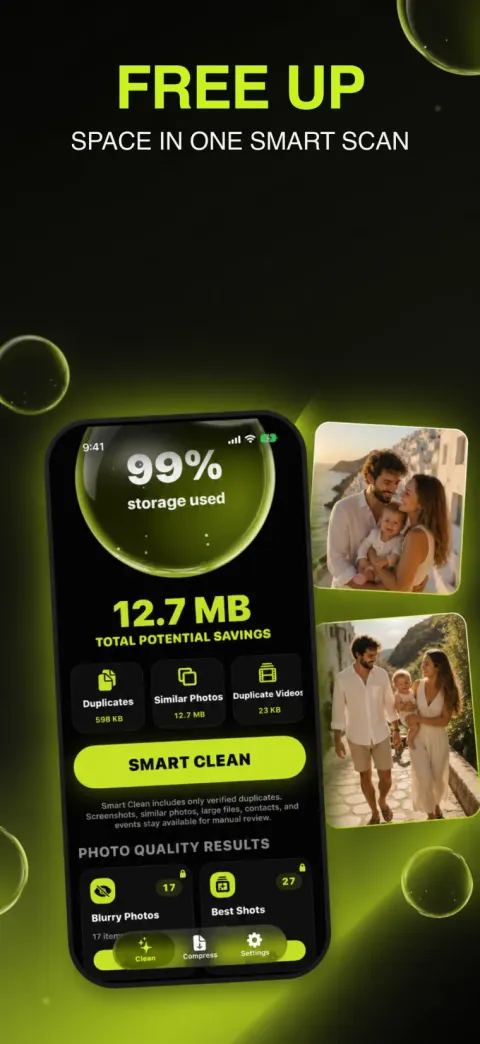
One scan of your library, grouped into categories you can open one by one.
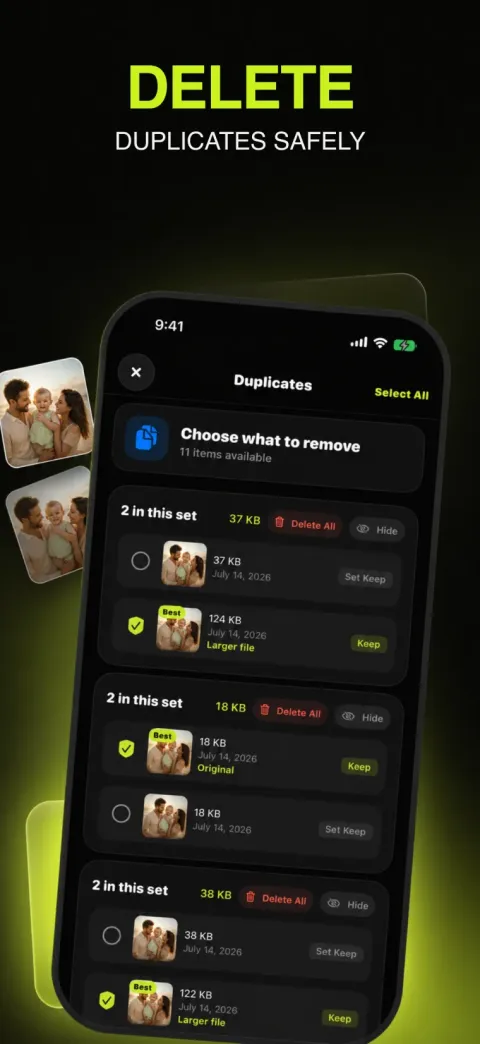
Duplicates
Exact and near-exact copies grouped in sets; byte-identical sets are marked as exact copies.
Similar photos
Shots that look alike — the same scene taken several times — grouped so you keep the one you like.
Duplicate videos
The same clip saved twice, matched by length, size and a poster frame.
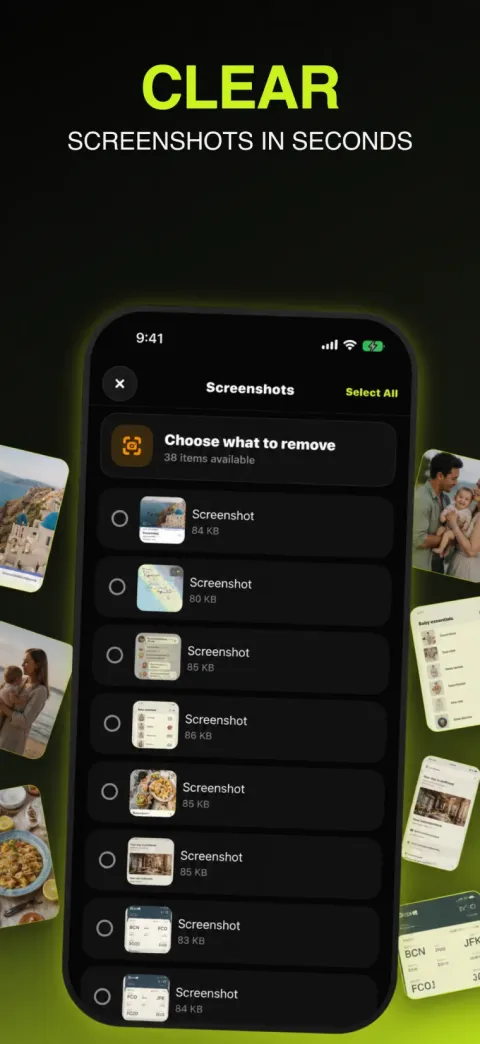
Screenshots
All screenshots in one list, sortable by size and date.
Screen recordings
Screen recordings, which are often large and forgotten.
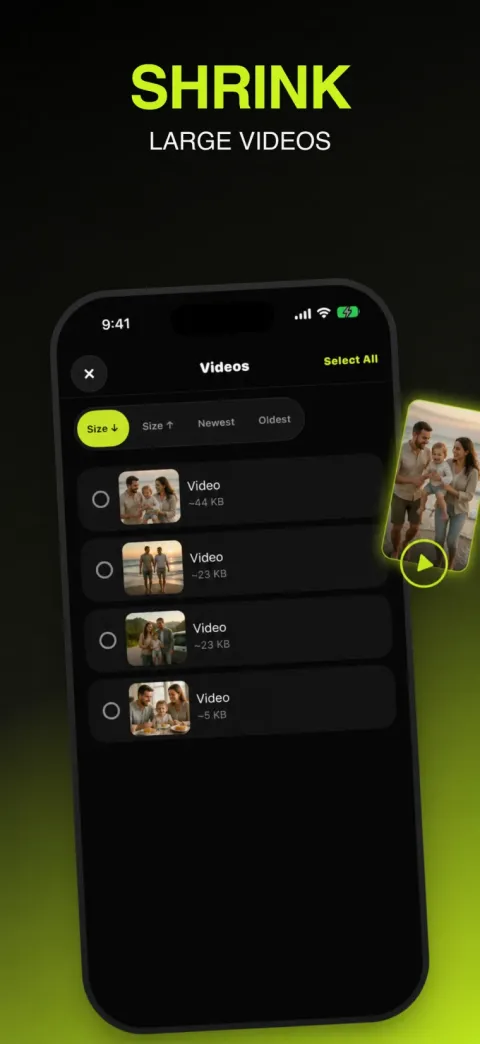
Large videos
Videos over 150 MB, biggest first.
Large photos
Photos over 5 MB, such as ProRAW or panoramas.
Burst photos
Bursts with a “keep best shot” action for the hidden frames.
Live Photos
Convert Live Photos you don’t need to move into regular still photos.
Blurry photos
Shots that are out of focus or shaken, found by an on-device sharpness check.
Closed eyes
Portraits where someone blinked.
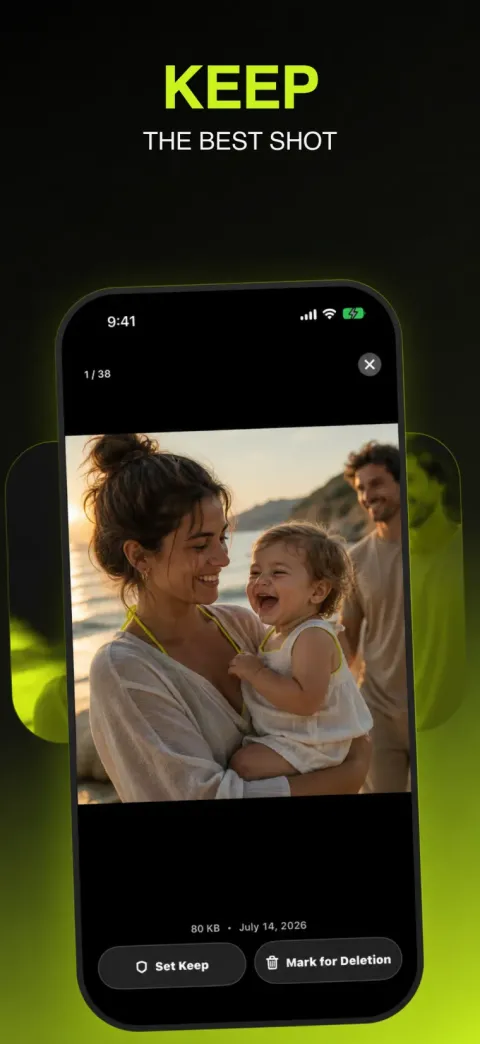
Best shots
Suggested keepers in groups of similar photos.
Selfies
Front-camera photos in one place.
Documents & receipts
Photos of paperwork and receipts (iOS 18 or later).
Duplicate contacts
Contacts that look like the same person, to merge or delete.
Old calendar events
Past events you can clear in one pass.
How it works
- Scan on your iPhone. Allow Photos access and Puri analyses the library on the device. iCloud-only photos are compared by preview — no bulk download.
- Review each category. Every set shows a suggested keeper and file sizes. Change the keeper, skip a set, or preview full-screen.
- Confirm and free space. Delete what you picked or compress what you keep. Deleted items wait in Recently Deleted for about 30 days.
See it in action
Private by design
Photo and video analysis happens on your iPhone. Puri does not upload your photo library, contacts or calendar to its servers. Puri doesn’t show third-party ads. And because iOS keeps every app sandboxed, Puri doesn’t pretend to clear System Data or “junk” — it helps you decide about your own photos, videos, contacts and calendar. Privacy Policy.
Free vs Premium
| Free | Puri Premium | |
|---|---|---|
| Scan the whole library and see results | Yes | Yes |
| Duplicates, similar photos, duplicate videos | Review; limited free deletions | Unlimited |
| Screen recordings, large photos, bursts, Live Photos lists | Review; limited free deletions | Unlimited |
| Duplicate contacts, old calendar events | Review; limited free changes | Unlimited |
| Screenshots, large videos, selfies, blurry, closed eyes, best shots, documents & receipts | — | Yes |
| “Keep best shot” for bursts, Live Photo → still photo | — | Yes |
| Photo & video compression | A few files (up to 15 MB each) | Unlimited |
As of version 1.0.2 the free allowance is 20 deletions (up to 5 at a time) and 3 compressions. Puri Premium is an optional auto-renewable subscription; the App Store shows the current price, billing period and any trial before you confirm.
Guides
How to find and delete duplicate photos on iPhone
Find duplicate photos on iPhone with the built-in Duplicates album, merge them safely, and handle similar shots and duplicate videos that Photos leaves alone.
iPhone storage full? What to delete first
iPhone storage full? Check Settings → iPhone Storage, then clear the biggest wins first: large videos, duplicates, old messages and unused apps. Step-by-step checklist.
How to clean up your iPhone photo library
A practical order for cleaning up iPhone photos: duplicates, similar shots, screenshots, blurry photos, bursts and big videos — with built-in tools and an app option.
What is System Data on iPhone — and how to reduce it
System Data (formerly Other) on iPhone holds caches, logs and temporary files. What is normal, what you can safely do to shrink it, and why no app can clear it.
How to compress videos on iPhone
Compress videos on iPhone to save space: record smaller with HEVC, trim clips in Photos, or re-encode existing videos and photos with an app like Puri.
How to delete screenshots and screen recordings on iPhone
Find every screenshot and screen recording on iPhone in Photos → Media Types, select them in bulk and delete — plus how to keep the few you still need.
All guides → · Comparing iPhone cleaner apps
Frequently asked questions
What does Puri do?
Puri scans your iPhone photo library on the device and groups duplicates, similar photos, screenshots, screen recordings, blurry and closed-eye shots, large videos and more, so you can review them and delete or compress what you don’t need. It also finds duplicate contacts and old calendar events.
Is Puri free?
Puri is free to download. You can scan and review results for free with a small allowance of deletions and compressions; Puri Premium, an optional auto-renewable subscription, unlocks unlimited cleanup, compression and extra categories.
Does Puri upload my photos?
No. Photo and video analysis happens on your iPhone, and your library is not uploaded to Puri servers.
Will Puri delete anything without asking?
No. Every deletion needs your confirmation, and deleted photos go to Recently Deleted for about 30 days.
Can Puri clear System Data or app caches?
No — iOS doesn’t allow any App Store app to do that. Puri works on your photos, videos, contacts and calendar events.
Which iPhones are supported?
Any iPhone with iOS 17.0 or later.